
Back to help center
Core workflows
Use Scratchpad to validate, format, and diagnose pasted JSON
Paste copied payloads locally, inspect parse errors, and open escaped JSON strings without uploading content.
Updated2026-05-30
LevelBeginner
Read5 min
1Step 1
Paste the payload into Scratchpad
Open Scratchpad from the extension or the online tool, then paste the response body, log fragment, manifest, or copied config.
2Step 2
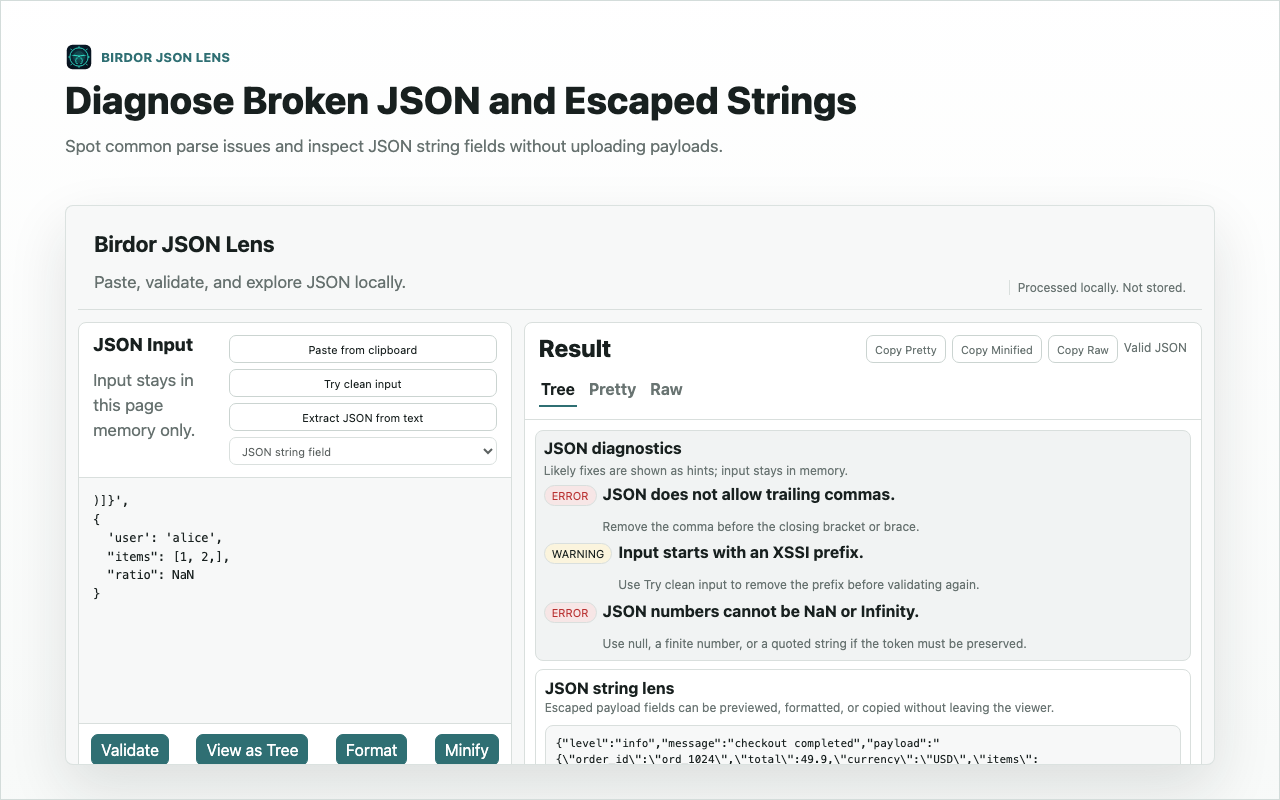
Validate before formatting
Run validation first when you need the original error location. JSON Lens keeps diagnostics close to the pasted content instead of silently rewriting it.
3Step 3
Open nested JSON strings when the payload contains escaped data
When a value is itself an escaped JSON string, use the string lens to inspect it as nested structure without changing the parent payload.
Related guides
Still need help?
Contact Birdor support or submit a ticket draft with the workflow, browser, and sanitized details we need to reproduce the issue.
Email support@birdor.com