
Back to help center
Core workflows
Copy dot paths, JSONPath, jq, and lodash paths
Copy field references in the format your test, script, or debugging note expects.
Updated2026-05-30
LevelBeginner
Read3 min
1Step 1
Focus the field in the tree
Search for a key, value, or path, then expand the result until the exact node is visible.
2Step 2
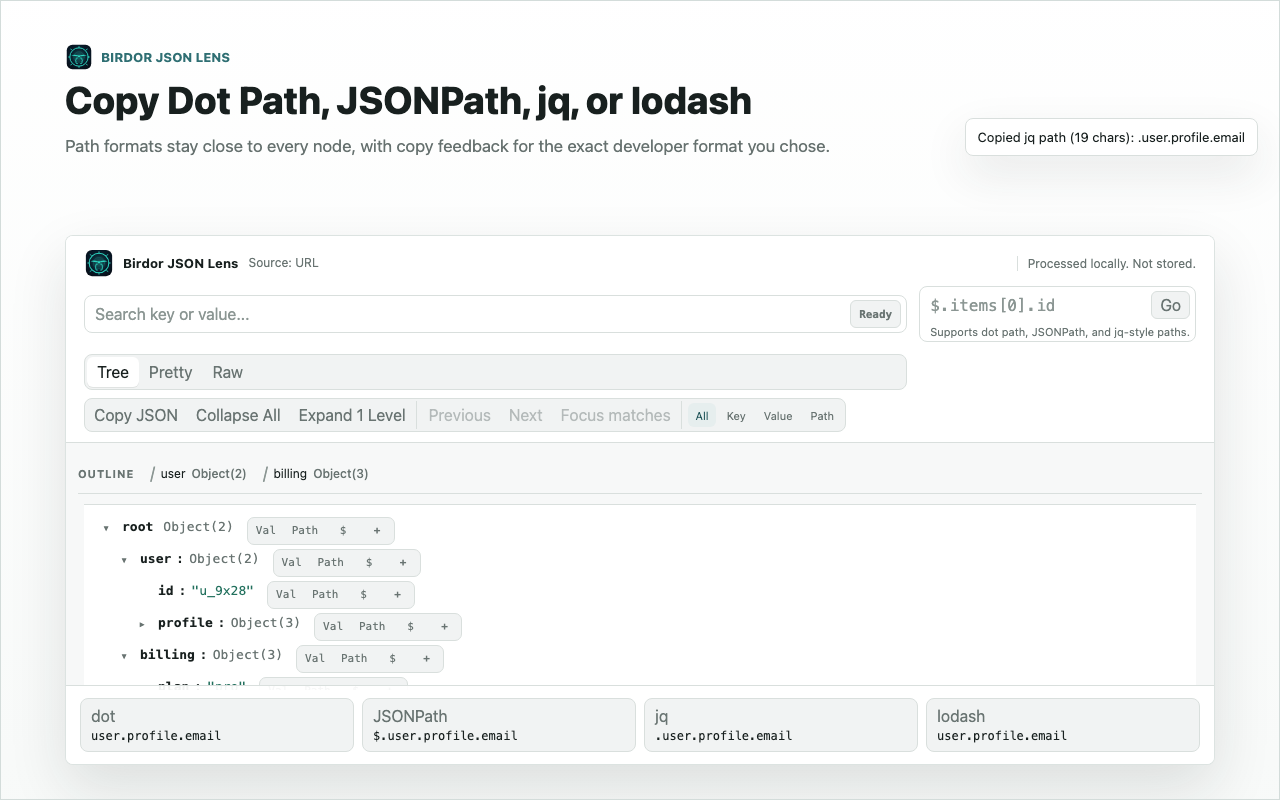
Choose the path format
Open the row action menu and choose dot path, JSONPath, jq, lodash path, raw key, value, or subtree depending on the next tool you will use.
3Step 3
Paste into your issue, test, or script
Use the copied path in a bug report, assertion, jq command, test fixture, or handoff note so the next person can jump directly to the field.
Related guides
Still need help?
Contact Birdor support or submit a ticket draft with the workflow, browser, and sanitized details we need to reproduce the issue.
Email support@birdor.com