
01
Current page JSON
Click Render in the popup when a tab already contains a JSON response. The renderer is injected into that active tab for that action.
Render page responses after a click, paste broken payloads into Scratchpad, copy exact paths, and compare two bodies locally.
JSON Lens is shaped around API responses, copied payloads, manifests, config files, and structured logs.
The extension does not watch the network. It starts from concrete actions: a popup click, a paste, a selection, or a local file.
Click Render in the popup when a tab already contains a JSON response. The renderer is injected into that active tab for that action.
Paste a copied response body into Scratchpad to validate, format, inspect escaped strings, or compare it against another body.
Highlight text on a page, then send it to the local reader through the context menu. The selection is not kept as browsing history.
Open a local `.json` file in the same tree, path-copy, search, and large-document safety workflow.
This sample is parsed during static rendering with the extracted JSON Lens core package: API errors, trace signals, paths, and smart values come from the same web-safe code the extension uses.
{
  "ok": false,
  "status": 429,
  "trace_id": "trace_01JY_RATE_LIMIT",
  "retry_after": "2026-05-27T12:30:00Z",
  "docs": "https://api.example.com/docs/errors#rate-limit",
  "error": {
    "code": "RATE_LIMIT",
    "message": "Too many requests for this workspace",
    "details": [
      {
        "field": "workspace.id",
        "message": "Burst limit exceeded"
      }
    ]
  }
}
Error lens
429
Finding path
$
API signals
Smart values
The store sequence shows the shipped surfaces: document-aware tree view, path copy menus, parse diagnostics, large payload safety, and local compare.
Recognize OpenAPI- or schema-shaped JSON locally, then navigate it in the same searchable tree viewer.
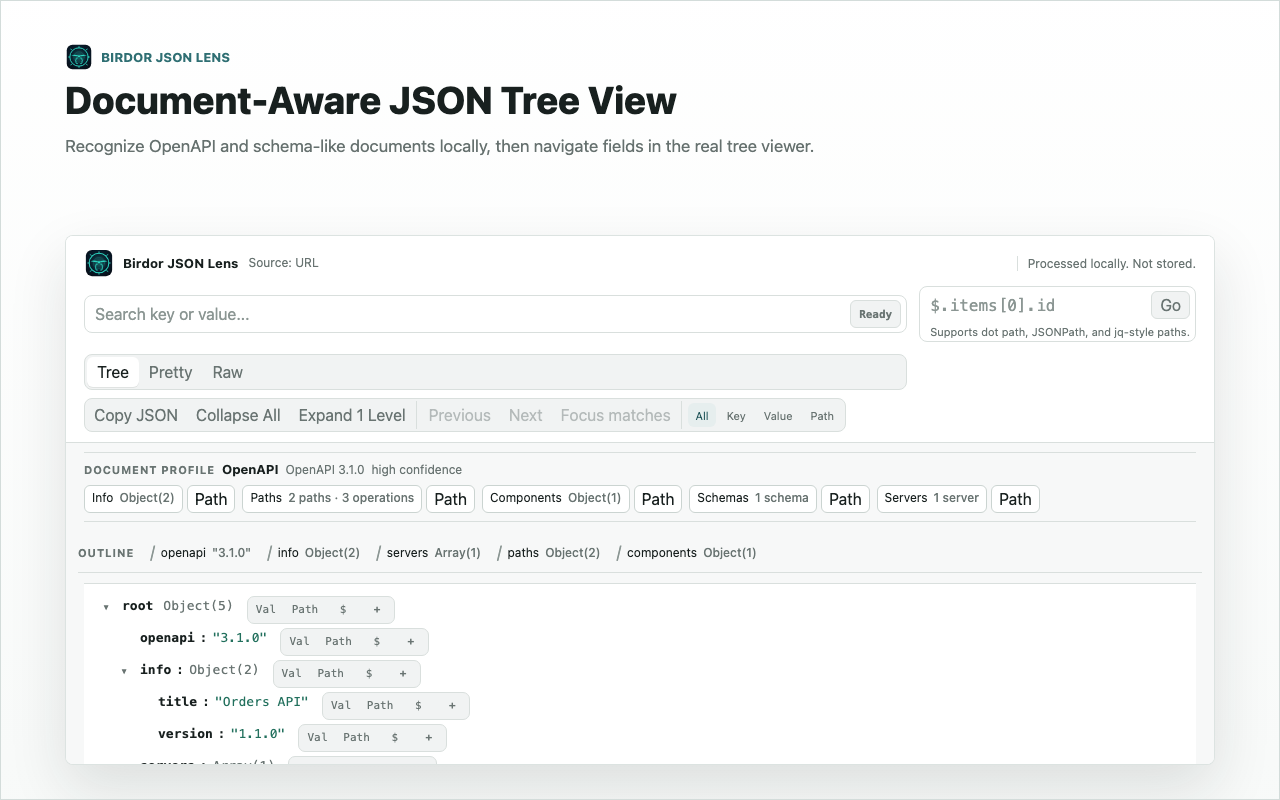
Real store screenshot. Use it as product proof, not decoration.
JSON Lens is not an API client and not a cloud workspace. It handles the moments when a response, config file, or copied payload needs to become readable before you continue debugging.
Search keys, values, and paths in the tree so a nested response can be inspected like a document, not unfolded one triangle at a time.
Grab dot path, JSONPath, jq, lodash path, key, value, or subtree directly from the selected node.
Invalid JSON reports stay close to the pasted text, with escaped JSON strings opened as readable nested structure.
Paste the before and after bodies, then review changed paths locally without adding a remote diff service.
Safe mode and progressive reveal make oversized payloads navigable when a naive tree view would stall.
Timestamps, URLs, JWTs, UUIDs, colors, and document-shaped payloads get small hints where they appear.
The extension only asks for permissions that support explicit local JSON workflows, and the non-requested sensitive permissions matter just as much as the requested ones.
Used only for user preferences such as theme, density, and large-JSON settings. JSON content itself is never stored in Chrome storage.
Adds explicit right-click actions for selected text. The selected content is held in service-worker memory only long enough to pass it into the local Scratchpad.
Used only after the user clicks Render current page. Access is temporary and tied to that explicit action.
Injects the packaged local renderer into the active tab. Non-JSON pages are left unchanged and there is no request monitoring.
No network interception, no response history capture, and no request inspection layer.
The extension does not read or store cookies.
Browsing history is not captured or stored.
No broad tab inventory or persistent cross-tab monitoring is requested.
There are no persistent host permissions. Current-page rendering uses temporary access after an explicit click only.
JSON Lens does not upload JSON content, does not read cookies, does not capture request headers or bodies, and does not include analytics or tracking scripts. The dedicated permissions page expands the same boundaries in longer form.
Short answers for the risks that matter: uploads, permissions, page injection, and large payload behavior.
No. Current-page JSON, pasted snippets, selected text, and local files are processed in the browser. The extension does not include analytics scripts or a remote JSON processing service.
No. Current-page rendering happens after the popup action. Context-menu flows also start from an explicit selection action.
Yes. Large JSON safe mode and progressive rendering are designed for documents that would overwhelm a simple fully-expanded tree.
Those permissions work together only after Render current page is clicked. Chrome grants temporary access to the active tab, then the packaged local renderer is injected into that tab.
No. It is a reader for JSON you already have in front of you: responses, copied bodies, selected text, local files, and compare scratchpads.
Use it for current responses, copied payloads, selected text, local files, path copying, diagnostics, and local compare work.
The docs and permissions pages describe the same extension contract shown here: explicit actions, local processing, no request interception.