
Back to help center
Core workflows
Compare two JSON payloads locally
Paste before and after bodies into the local compare view and review changed paths without a remote diff service.
Updated2026-05-30
LevelIntermediate
Read5 min
1Step 1
Open compare mode
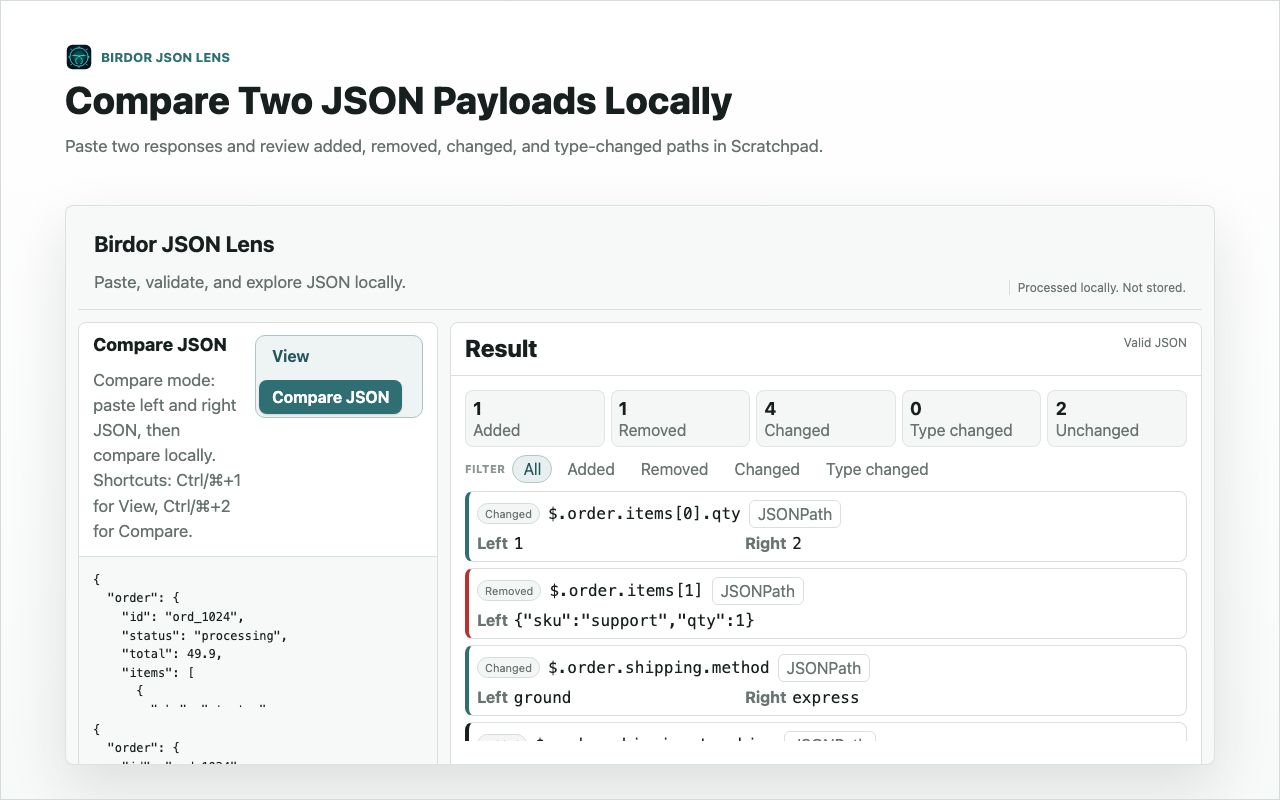
Start from Scratchpad and switch to the local compare workflow when you have two payloads from different responses, releases, or environments.
2Step 2
Paste both payloads
Paste the baseline on one side and the changed payload on the other. Both sides stay in the browser.
3Step 3
Review changed paths
Use the changed-path ledger to decide what matters, then copy the relevant path or subtree into your issue or test.
Related guides
Still need help?
Contact Birdor support or submit a ticket draft with the workflow, browser, and sanitized details we need to reproduce the issue.
Email support@birdor.com