
Back to help center
Troubleshooting
Keep large JSON readable with safe mode
Use progressive reveal and safety thresholds when huge arrays or objects would stall a naive tree view.
Updated2026-05-30
LevelIntermediate
Read4 min
1Step 1
Open the large payload
Load the JSON from the current page, Scratchpad, or a local file. JSON Lens checks document size and node count before rendering deeply.
2Step 2
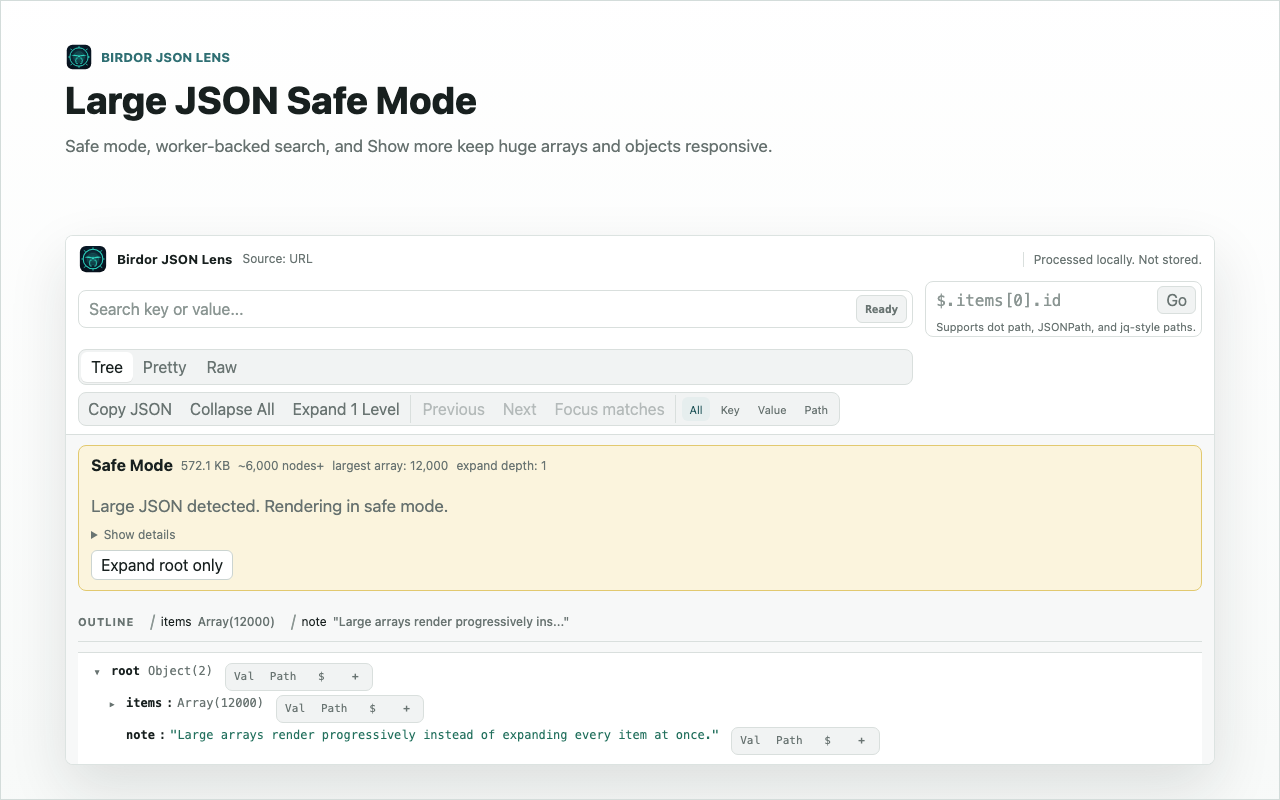
Review the safe-mode summary
Use the summary to understand why progressive reveal is active. This protects the browser from expanding too much structure at once.
3Step 3
Search before expanding broad arrays
Search for keys or values first, then expand only the branches that matter. This keeps the reading session responsive.
Related guides
Still need help?
Contact Birdor support or submit a ticket draft with the workflow, browser, and sanitized details we need to reproduce the issue.
Email support@birdor.com